
Whimtale game engine
👾👉 Join our Discord server 👈👾
and Telegram channel and group as well!
Receive latest news, ask for help and post your creations!
Standalone editor (works offline, too!) • Homepage & Docs
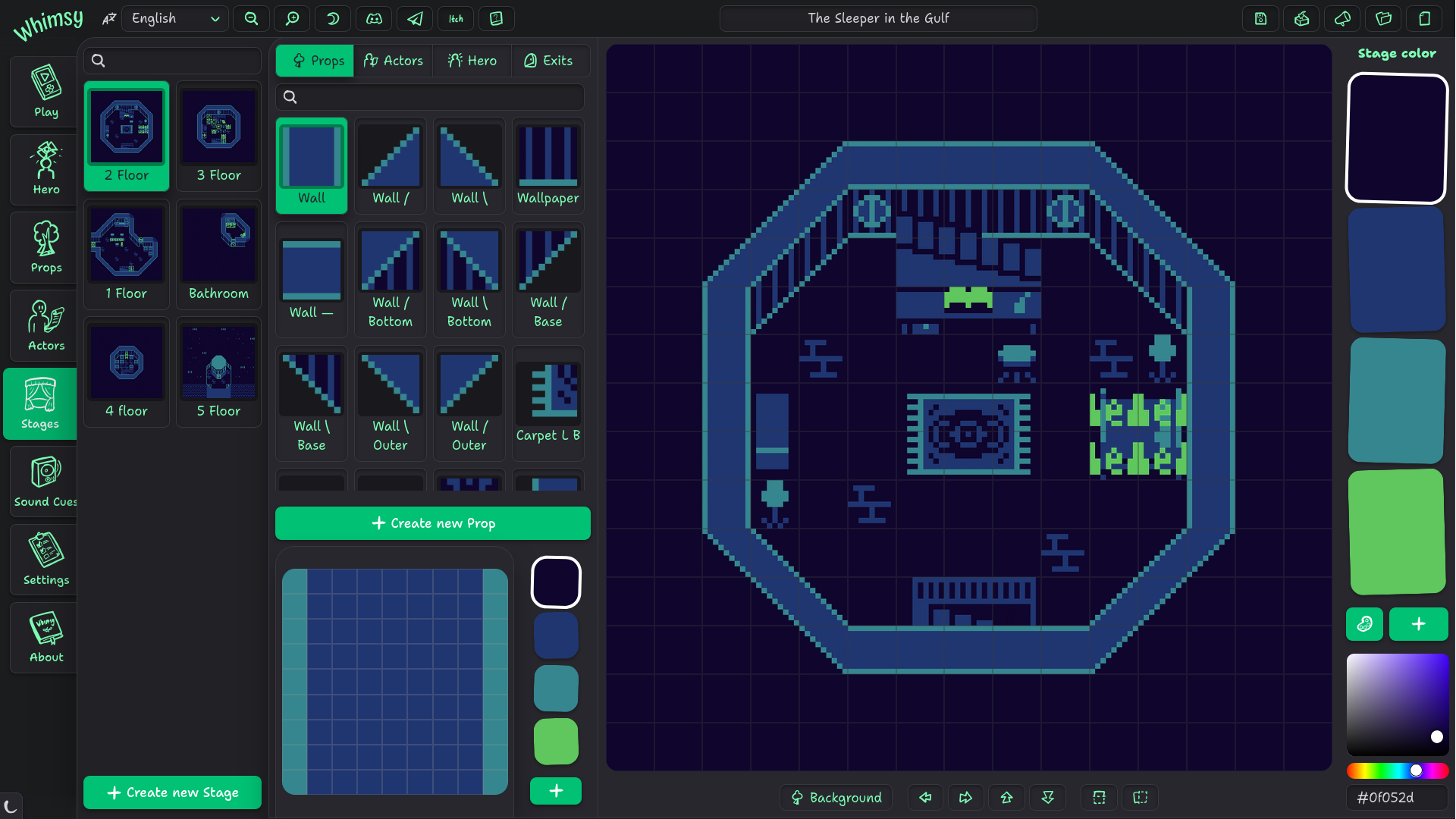
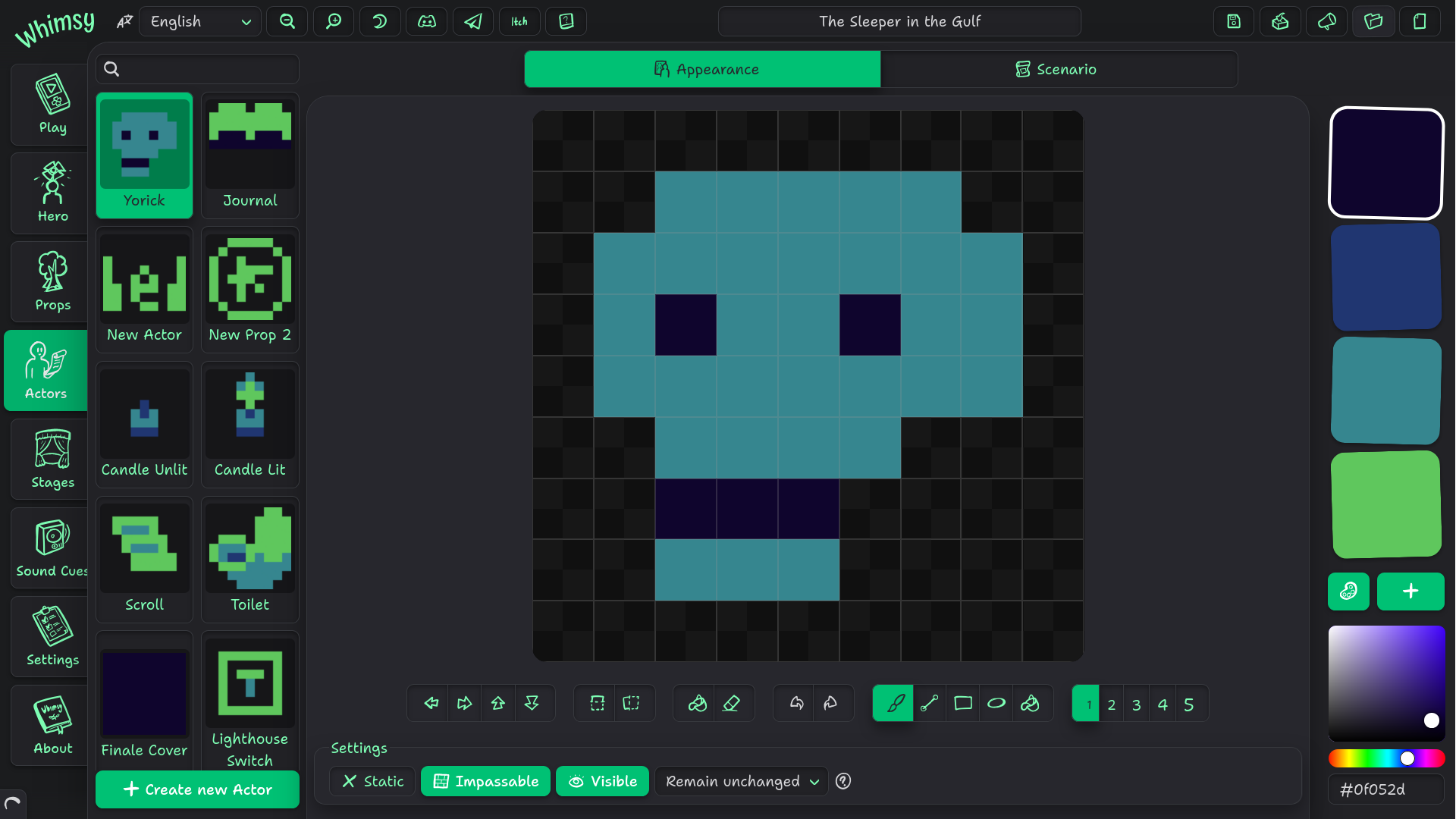
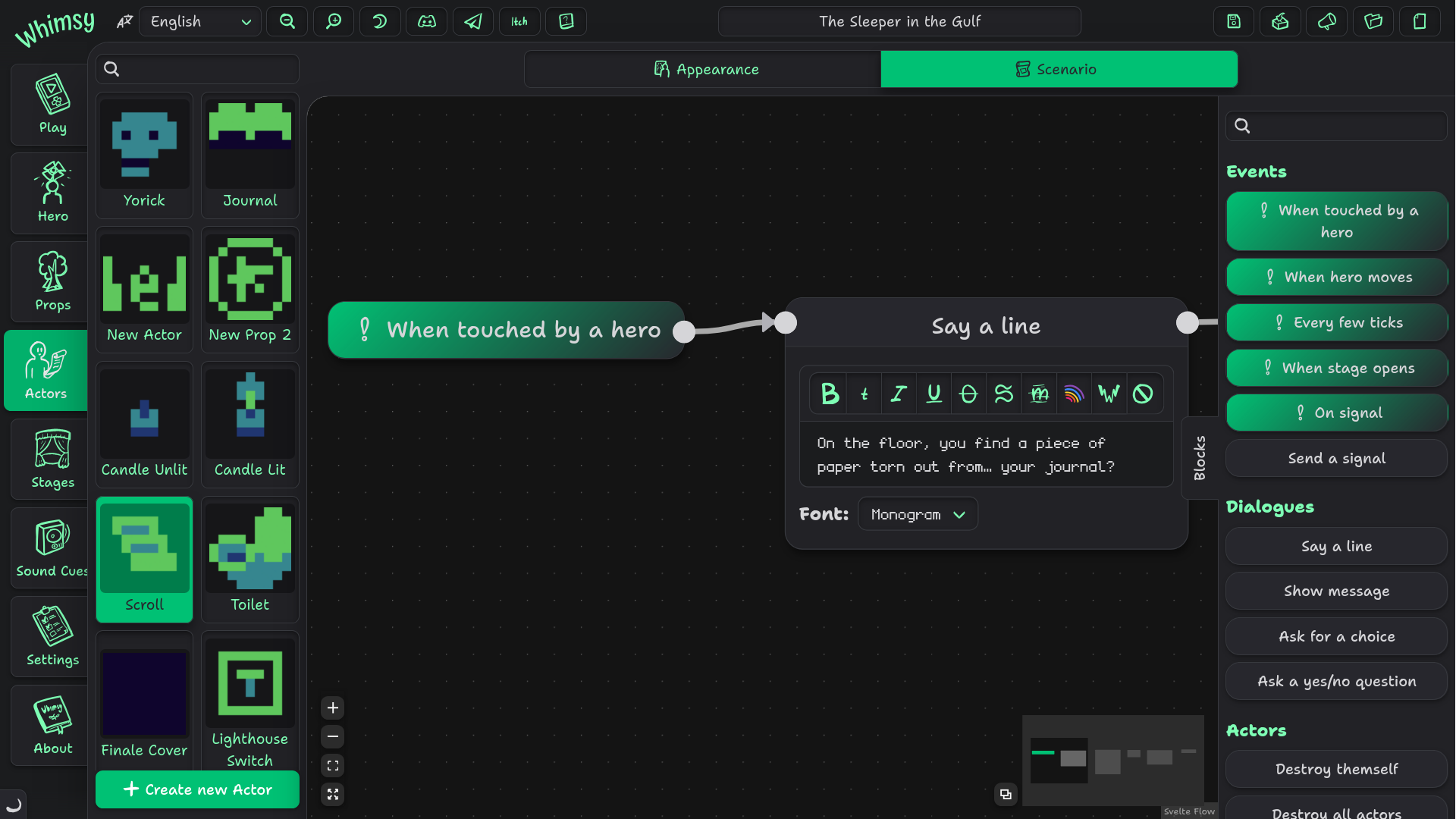
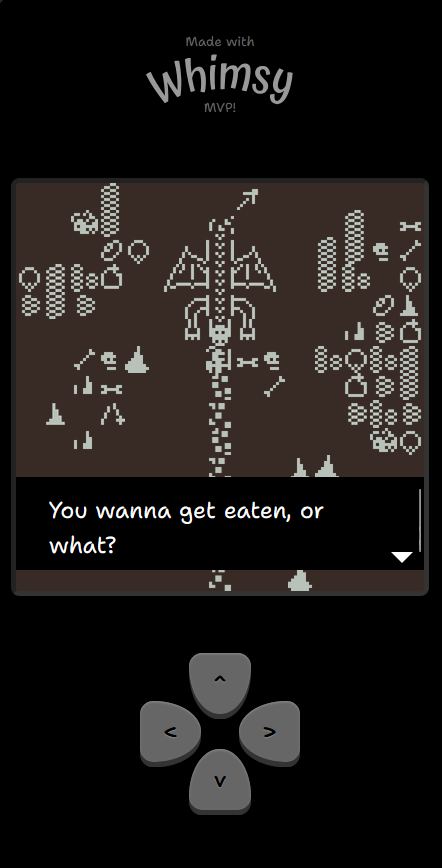
Whimtale is a small game engine and a fantasy console for making interactive stories where you can navigate the worlds you create and talk with stuff! Whilst simple in nature, the toolset allows making narrative-driven exploratory games with no prior experience in game development.
Whimtale is inspired by Bitsy — and if you made games with that engine, you already know how to use Whimtale. Yet Whimtale does its craft in its own unique way, which will become more apparent with future versions.
Demo projects (with sources!)
Why make another Bitsy clone?
As a teacher, a player, and a game developer, I'm frustrated with the current state of Bitsy and its forks. Games have graphical glitches, can hang up, the editor is buggy as heck and has unintuitive, very limiting programming language. And when during one of my lessons on making games without code my students found 10-ish unique bugs in Bitsy instead of known 2, I decided that enough is enough.
Similar engines often have (more) complex scripting languages that can spook the young developers and designers, or are simply not that user-friendly. I think a better product can be created that will only multiply the strengths of Bitsy and will fix its issues.
And also it is a learning opportunity for me, CoMiGo. Maybe some of the tech explored while making Whimtale will be used in ct.js.
Whimtale HD and Ultra: Premium editions
Get more features and customization options with two tiers of Whimtale! Go to their itch.io pages for more information, orsee the rundown here on the main website, as well as the comparison table.
Credits
- Whimtale is made with Svelte and SvelteFlow, with additional smaller libraries. The up-to-date list can be seen in the Whimtale app on the About page.
- Older Japanese translation was made by matschaffer.
- Spanish translation was kindly made by Germán Mazza. You can check his software development work on Instagram. He also repairs arcade consoles and writes about retro gaming — you can find about his works on his link tree.
Whimtale tools
Made your own? Post them in the comments! Whimtale project files are plain JSON, so they can be read and modified with your own tools.
- Tile extractor (save tiles from your projects as tilesets!)
- Merger (adds assets from one project into another)
Got any issues? Write on Discord or in the comments!
Download
Install instructions
Windows: If the app doesn't work, download and install Microsoft Edge WebView2 runtime.
Linux: Make sure you have libwebkit2gtk4.1 installed, and make sure the AppImage has the +x flag (meaning that it is marked as executable in its properties). Some systems may also lack packages xdg-desktop-portal, xdg-desktop-portal-gnome and xdg-desktop-portal-gtk.
macOS: Version 13 and above should work as is. Older versions are not supported and will not be. MacOS may also mark Whimtale as a damaged file as the app is not notarized. If it happens, see here on how to fix it.
Development log
- v1.2.0 — Icons in dialogues & Insert variable button77 days ago
- v1.1.3 — Even more bugfixes94 days ago
- v1.1.2 — Bugfixing!May 14, 2026
- v1.1.1 — Improved UI for vertical screens, custom palettes, and MOREMay 10, 2026
- v1.1.0 — More tools for playtesting, scenario variables, and custom tileset im...Apr 03, 2026
- v1.0.2 — Bug fixes, new mirrors, what's in the works, rant about UE5 and a job...Feb 23, 2026
- v1.0.1 — A fix for Windows-after-sleep issuesDec 16, 2025
- Whimtale HD and Ultra are out 🎉Dec 15, 2025
Comments
Log in with itch.io to leave a comment.
I love Bitsy, I made my first game in it, and this seems great! I want to get the Ultra edition and I'd love to recommend this to my friends and college, any chance you could do a student discount somewhen? totally understandable if not since this is such a cool tool already
I don’t think it’s directly possible with current itch.io capabilities, but I can email redeem keys to you! (So a license can be claimed by another itch account.) Will one key for one regular purchase be a good exchange?
I mean I definitely wouldn't complain about that! It would be very kind of you. My only thing is that my college is strange about what they allow access to, would it be possible to make Ultra available via the web? Or is it already and I just didn't realise?
No, Ultra is desktop-app-only
Btw I usually reply faster on Telegram (https://t.me/CoMiGo) and on Discord (@CoMiGo). If you write there, please write more than just “hello” so I know it’s you and not an another bot c;
I don't have a discord (I don't agree with their policies) but I may get a telegram, but honestly I don't mind a slow reply. I'm patient!
Wonderful. I’m using it on macOS and it works perfectly. However, when I close the application, it crashes on exit. I can’t tell whether the crash is caused by Whimtale or Neutralino.js.
It would also be wonderful if one day Whimtale could support a small scripting language to handle the scenario, rather than using the visual editor which is easy to use but complex for articulated actions. Something like JavaScript scripting like ct.js has.
Probably a Neutralino bug, it’s API doesn’t have anything special for exiting an app and Whimtale does project saving and other stuff regularly before that.
I don’t want to make yet another programming language tbh 😩 And even plain JS will be hard to make as the visual language is one large state machine/VM.
Was waiting for months to buy Ultra. So happy. Dream game engine.
Would you ever consider adding the option of having a character portrait beside the dialogue. Is there any way I would be able to do this myself?
Thank you for your purchase 💚
Character portraits are a frequently requested feature and are in my backlog 👍 Once I’m done with my other projects’ tasks I will return for this and other features.
About doing them yourself, I don’t think it’s possible; at least, not in an extremely hacky way.
Hi! 5 months, by gods time flies by. v1.2.0 introduces more settings for all Dialogue blocks — including icons! These can be used for character portraits or, say, showing items.
it would be really cool if the letters had a typewrite effect... WHY DONT THEYYYYY?!
idk, because it’s not common and mostly an RPG maker tell-tale feature?
well it'd be pretty cool if it did!
Hello!
I developed a game launcher, that has only: 3 ish games,
I found your game engine, and thought "This is useful! i can make games with this!"
Yes. in game descriptions, ill add "Made with Wimtale"
Thank You!
Hi, CoMiGo! I found this wonderful Bitsy alternative just 2 days ago thanks to a post by Piteas! I barely started using it, but I just have a few questions for you, if you would please?
1. Why isn't this AMAZING Tool being touted on the Bitsy Forum (since Bitsy Color, Bipsi, Mosi, Bitsy HD, Bitsy 3D, Bitsy Color 3D... are!), even at least to be listed when Bitsy+ Game Jams are announced???! (If not for checking a game by Piteas, I NEVER woulda found Whimsy-Whimtale!)
2. Is there a better Control Scheme? When playing WT Games in Browser or even using the Editor, the Up and Down Arrows Move the Screen instead of the Hero! (I know you'll say "That's why you use W and S, but Bitsy Engines don't have this issue, and it should be addressed in WT rather than Forcing Players to use Alternate Keys!)
3. Is there a way for you to make the Blocks screen (fashioned after Twine's Passages) a bit easier to manage? Having an infinite space to move 'em around can become aggravating (Minor Gripe).
4. Why are the "?" Icons' and Blocks' Information CUT-OFF when you Hover Over 'em? Frustrating, as I don't know what else they say, which could be Important!
5. Do you have plans to implement Hero Walking Speed (Movement) in the future? This is the main gripe I have with WT, as I find it annoying that Movement's NOT Pixel-Based, therefore you can Walk Very Fast, reaching Room (Stage) Areas in no time! (Unless you use Hidden Items or Make a Maze of Walls. If nothing else, I guess you can always just Manually Move One Step At A Time...)
Thank you SO MUCH for Making and Improving on this INCREDIBLE Tool, sir!
Because it’s mean? 😅 But if you think it is okay, please do spread the word!
I did catch this and other issues recently and a fix for them will arrive shortly; you can use WASD, arrow keys, or on-screen controls. On touch devices you can press the screen and drag your finger for a joystick-like control. (This had its issues with accidental page refreshes tho, but I have a fix for it in the upcoming update as well.)
You can hold Shift key to box-select several blocks or Ctrl to select/deselect them by clicking. If you meant something else, please tell me.
They’re positioned relatively to the blocks themselves, you usually can pan around so the tooltips fit.
I’ll try to make them exceed the boundaries of the scripting area, but can’t guarantee results as I’m using a 3rd-party framework for most of the scripting UI. And if the tooltip is larger than the scripting area for you, please send a screenshot.
There is actually a hidden speed limiter that I can expose; with the default values, I tried to balance keyspam prevention and being able to navigate through stages quickly enough to not be annoying. You haven’t seen the very first prototypes where the hero moved like a bullet…🤣
I’ll add it to my backlog and perhaps add a setting and blocks to dynamically tweak this currently hidden value.
And thank you for sharing your thoughts and detailed suggestions!
Thanks for the replies, man.
1. So far, two of us have spread the word on the Bitsy Forum, so thanks for the permission! (He got ahead of me two days ago, darn.)
2. Looking forward to the controls update!
5. That'd be great, man! (It reminds me of the OHRRPGCE engine back when I used Desktop PCs, had so much fun editing and making demo games in that [especially editing Grapnes 2 Demo!] even more than the RPG Maker series!)
3. Thanks for that info, tho I actually meant if you could somehow make the Blocks map screen less huge? (After doing and making your 2 Tutorials for myself the other night, I was actually able to code my own stuff in for the Fetch-Quest, so it didn't take me too long to catch-on to the once-overwhelming blocks setup; what a treat! Still gonna be awhile figuring-out what all the other command blocks do tho!)
Also, if you could make a better setup for the Blocks' Fit Screen option, like maybe Resize a bit better for a Set/Fixed Position, as I found the Fit option actually made my Boxes so small that there was NO Text in 'em once I'd made a fair-sized tree of code, and then Zooming wouldn't keep/save my bigger, Resized Boxes, as it kept defaulting back to the small boxes when I went to a different actor!
4. Whatever change you can make to the CUT-OFF Icons and Blocks info would be so appreciated, because I'd love to know what the rest of the info for all those says!
I feel like there is a communication gap here. Blocks are sized to their content, and I can’t throw anything willy-nilly from them. I assume you are aware about zoom buttons and scroll-to-zoom/pinch-to-zoom gestures. It would be cool if you captured a video/sent photos of you using Whimtale’s Scenario editor on your device — maybe your issues come from weird UI scaling or something like that. Rn I don’t even know whether you’re using Whimtale on a PC, a tablet, or something else, and all they have settings for UI and font scaling that do affect web apps.
Content of blocks gets hidden when zoomed out for performance reasons; I will experiment with large icons to visually communicate which block is which later, maybe also introduce performance settings to the scenario editor, but simply showing everything all the time does tank FPS on larger scenarios. (I added this simplification when I was working on a 100+ block scenario, and oh boy it was needed.) Current performance methods are not permanent, too; unfortunately, the devs of SvelteFlow (the framework for node-based interfaces) are not currently interested in improving their renderer, and writing one of my own will be beneficial for Whimtale and my future projects but will also take so much time that it is definitely happening after v1.0 release. Development is hard ¯\_(ツ)_/¯
Here's a Screeny of the issue, but note that there's NO pop-ups of text showing cut-off text, as I'm on a Chromebook and my page zoom is set to 80% in order to see all of a webpage's things, etc, and I can't SS the popup due to press-holding the SS shortcut keys (and there's no right-click menu to take a SS with the trackpad). I'm gonna post the rest of my replies after this pic (couldn't find how to put more AFTER my pic below!).
I understand that programming's hard (most I ever did was alter monster stats in Luanti [formerly Minetest], but that was just editing existing code for the most part, and some coding in OHR), so just take your time.
As for the rest of your replies, thanks for more details once again, but I'm quite sure you'll get what I was asking when I tell you this: I simply meant, is there a way you can make the infinite space of Blocks (in Actor Scenarios) less-huge? I realize you wanna give us an ever-growing/expanding area to put our code blocks into, but shouldn't you limit the size that it can get rather than make it an infinite space?
Lastly, now that you know that I wasn't asking for just a way to avoid cut-off text, but also limiting the infinite space (which I'd guess'd also have Performance issues if someone were to fill a big enough area with too much code?! [like what happens in Bitsy if your game has too many exits, code, or is too long!]), I'm all about Performance (hell, I used to play PS2 games in an emulator and I'd ALWAYS set it so that it was playable; who cares about pretty gfx!), so don't get swamped with trying to fix stuff in Blocks that don't need fixing (eg. leave the: zoom-out makes boxes lose their text :alone!).
Thanks for such a fast reply, I appreciate it. :)
Hello. Are you interested in a translation to another language? (I see the languages are English and Russian) ...
I’ve replicated the issue on my end, will try to fix soon!
I’ve published a fix in v0.6.3, though for some reason Linux x64 version is processing longer than the rest. Looks like itch.io’s services have a long queue for Butler projects atm. Hopefully this will resolve by itself today.
For now, I gotta grind towards the 1.0 release 🥵 Thanks!
Android vertical version when?
You can use the engine anywhere from a browser at https://web.whimsy.rocks
I love this. I hope this is a free engine.
This is one of the best thing I found in itch.io. Loving this ❤️. Waiting for the paid versions.

Oh my god I love this so much! This is the perfect expansion to Bitsy, which is frustratingly limited. But Whimsy is such a joy to work with, it's so easy to make small games in it...
I only wish there were more functionality to make a bit more complex games, and also a way to hide the whole UI around the game so it only displays the Scene, like the original Bitsy.
Either way I love it, and I can't wait to make more games in it. The HD version is already on my wishlist for the future, its gonna be amazing!
Thank you for your kind words!
I’m afraid that’s how Whimsy’s magic disappear: an easy-to-use tool turns into a more complex and hard to learn tool. I’ve already added more to scripting than I initially planned “O_O
Probably will be a project option of the Ultra edition as scenes there won’t be necessarily with 1:1 aspect ratio. For other editions, keep in mind that the UI around a game is also the touch controls. But maybe I will add an option to go fullscreen when I add an in-game settings menu, it shouldn’t be too hard to make. I’ll add it to my to-do list.
Wow I thought this was only for like interactive book type of games reading the description but this seems much more capable and very nice to use. Like an entire node event system is great! Can't wait to see 1.0, I'll buy :)
PS. Hide the ->smoll<- "made with Whimsy" badge
You can draw your own banner in the Settings tab, and the default one will be much smaller and in the corner. Like this:
smoll should be small, I was pointing out a spelling mistake. Thanks for the tip anyway though!!
Ah, then it should probably be
smolc:https://knowyourmeme.com/memes/ok-so-basically-im-very-smol
Ah 🤣 Sometimes memes and English as a second language people can get confused. Thanks for the clarity 👍
This is very cool! I was just looking for something with better movement controls than Bitsy, and Whimsy's controls feel very good to use.
Do you have any plans to implement layers? I was testing using props to create visual effects and wanted to layer them in front of the player's sprite when the player walks through them, but didn't see a way to do it. [Edit: never mind, I found the foreground/background toggle! Didn't realize it was there until reading through the devlogs.]
Yeah, no matter how easy everything seems, there is still a learning curve. A curve of learning what even is in there 😅 I’m glad you like my tool!
Hello! This is super exciting!!! I couldn't find anywhere a mention about the license. I'd love if you gave it a permissive open-source license like MIT, or even GPL. You can still sell it btw!! It would just mean that the engine ships with its code.
Looking forward to playing around with the engine and following the progress! <3
I don’t have positive experience with open-source and don’t plan on releasing Whimsy as a FOSS for the foreseeable future. Making it open-source still allows to sell Whimsy, yes, but definitely doesn’t make it easier. Maybe in a perfect world it would be FOSS from the start, but alas—and I hope you’ll understand that.
Oh that's a shame! I'm sorry you had a bad experience with FOSS.
I'd like to understand what the pain points were, if you're keen to share. All I mean is that you include the source code on the release file and indicate its license. There'd be no need to manage a community or get people contributing to the code.
For now, I have to decline this request.
Not quite as useful a bug report as it would have been yesterday, but I crashed the editor yesterday by converting a prop to an actor where the prop was used on an existing stage.
After that the stage editor would not load.
I fixed it by deleting the stage in the JSON file and re-creating it, but it was definitely broken otherwise. Sadly I didn’t make a note of the JS error, but it was a missing reference.
On another note, do you have a way to make feature requests (if something is not on the roadmap)?
Discord server is the way to go.
Will try to upload a fix soon!
Should be fixed now 🐛🔨
Hi there! I'm happy to find this, I love Bitsy but agree that it's definitely frustrating to work with at times. I look forward to watching you develop this further! :)
Are there any plans to allow importing custom palettes in the future? I'd love to be able to grab something off of lospec and import it right into Whimsy.
🤔 I’ll add it to backlog but this feature is pretty minor in its importance; you can edit any colors and add any amount of them with the palette shown in prop, actor, and stage editors, and you can copy-paste the hex-codes from lospec directly into color picker.
is there any possibility the paid versions land on steam?
The possibility is definitely there! And publishing on Steam is a good idea. Time will tell; I will definitely release them on itch.io first as it’s just simpler to do it here for me as a developer.
this is nice. But is this mainly focused around rpg? Because what if I want to make a fast paced game like a driving game or what not
Then you should use another engine!
:( but I wanna code on my Phoooooone
Try Castles or PocketCode then.
Check out Fancade. It's genuinely the best mobile "game engine" to this day imo. It has a full blown 3d voxel-based editor and a unique and fun visual scripting system
Hello! I really like the engine but there is one teeny weenie problem. I have created an actor and added it to my second room. It was visible and solid, and I had the code correct and everything was fine, but the actor wouldn't show up on my screen? I don't get why this happened but please fix asap. Thank you for all your hard work and I think this engine is amazing!! keep it up!
🤔 can’t tell much rn. Does the issue persist when you refresh the page? If so, you can send me your project (the 💾 icon) at cosmomyzrailgorynych@gmail.com (or at Discord) and I’ll see what’s happening.
I fixed one bug that caused actors to disappear; perhaps your issue was connected to the same problem.
Thank you so much! I tried to play the game again, and it worked!!! I am so happy.
loving it, cant wait to see the paid versions.
So easy to use I started making a game before I got my morning coffee! I wasn't even thinking about it! I wasn't awake yet!
Can't wait to see what I can do with this when I'm actually paying attention <3